Build it in the sim first
Change the motor, prop, battery, ESC, weight, CG or throws. See what each setup does to the plane before you buy parts or print another airframe.
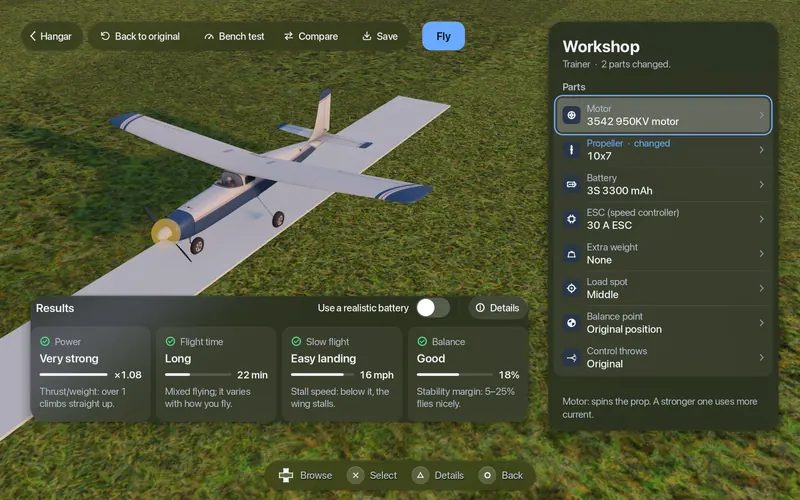
- 7 parts
- Motor, prop, battery, ESC, weight, CG and throws
- 4 gauges
- Power, flight time, slow flight and balance
- About 7%
- Prop and motor model against manufacturer thrust tables
- 1 button
- From the bench to the same field
Bench test, then fly
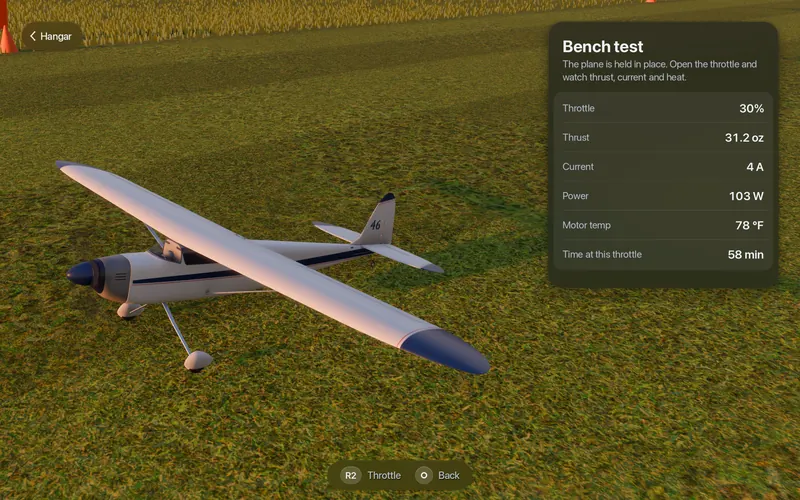
The plane is held in place. Open the throttle and watch thrust, current and motor temperature change, and hear the motor.
- 31.2 oz
- Thrust
- 4 A
- Current
- 103 W
- Power
- 78 °F
- Motor temperature
Behind it: a bench table (throttle to thrust, current, power and efficiency), a curve, and a flight report with top speed, climb, glide and take-off distance; hover current on VTOLs.
$49.99 once, everything included · On sale soonRequirements
How it works
Swap a part, read the result, prove it on the bench, then fly it.
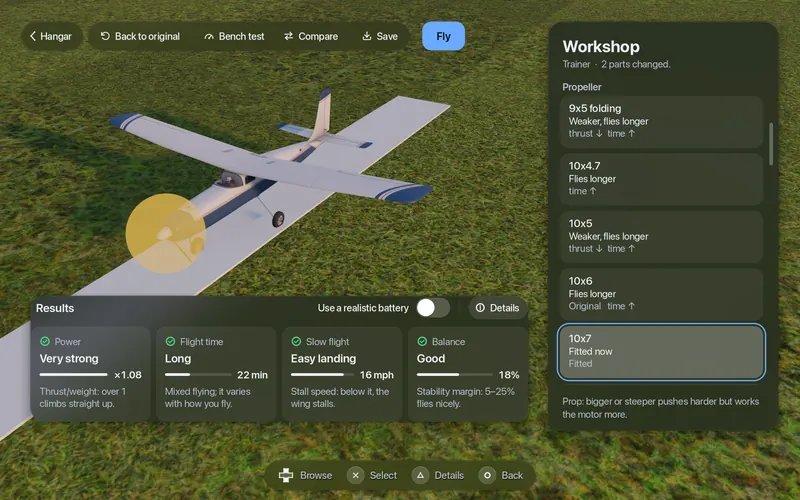
Change a part
Each part card says in one sentence what it does ("more thrust, heavier") and shows arrows against your current setup.
Read four gauges
Power, flight time, slow flight and balance, right beside your plane. Green is good, yellow needs attention, red is a problem.
Bench test
Open the throttle on the bench and read thrust, current, power and motor temperature.
Fly, compare, save
One button puts the new setup on the same field. Pause and go back to the Workshop where you left off. Compare with the original and save under a suggested name.
$49.99 once, everything included · On sale soonRequirements
Change the parts, read the gauges
Change a part and see the result beside your plane: thrust, current, power, stall speed and balance.
- Parts
- Motor, propeller, battery, ESC, extra weight (camera, payload), balance point (CG), control throws
- Power
- Thrust-to-weight: will it climb?
- Flight time
- Minutes on one battery at cruise
- Slow flight
- Stall speed: how slowly you can land
- Balance
- Where the CG sits and how much stability margin you have
At most one warning line, in plain words. "Back to original" is always one button.
Bring in your 3D-printed plane
Set up any of our airframes with your exact motor, prop, battery and CG. Printing your own design? Add it from its STL files in five steps:
- Put the STL files in a folder.
- Write a short settings file (span, weights, where the parts sit).
- Line it up in the preview.
- Convert the STL files to a model file with the conversion script.
- Check it in the sim, then correct the numbers with a scale and your build manual.
Then load the model, set its dimensions and component weights in the Workshop, and fly it. The user guide walks you through it.
$49.99 once, everything included · On sale soonRequirements
Good to know
- Thrust, current, flight time and stall speed come from a component model. Against manufacturer thrust tables, our propeller and motor model tracks them within about 7% on average at full throttle: close enough to compare setups and catch a wrong prop or an overloaded motor before you buy parts.
- Before the maiden, measure current with a watt meter and check the CG on the real airframe.