What should you practice on an RC jet simulator?
Practice the three things that make jets different from propeller planes: a throttle that answers late, a clean airframe that glides a long way, and higher speeds everywhere, especially on approach. Fly big circuits, add power before you need it, slow down early on downwind, and land on a long paved runway until a powered approach and a go-around feel routine.
Fly Before is the RC flight simulator for Mac that runs real ArduPilot in one click. Plug in your radio and practice every step on your Mac before you go to the field. See what Fly Before does
Most first jet crashes are not about flying fast. They happen at the slow end: a stall in the turn to final, a landing that floats past the end of the runway, or a go-around that comes too late because the fan took a second to answer. Those are timing problems, and timing is what a simulator trains well.
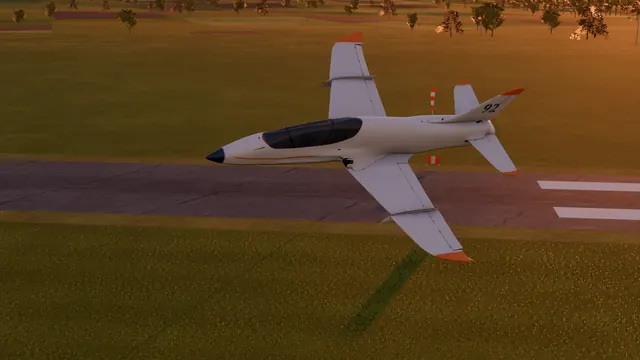
Jets in Fly Before
The Jets class in the Hangar covers ducted-fan jets from a forgiving straight-wing Jet trainer to a fast twin-fan stealth-style jet, plus a turbine-powered sport jet with flaps. Each one's card says how it flies: "Straight-wing ducted-fan jet trainer: forgiving, fast, laggy throttle", "Ducted-fan sport jet: fast, long glide, laggy throttle". The throttle lag is part of the model, so the habits you build here are the right ones. Every aircraft in the Hangar lists its wingspan, weight and stall speed, so you can pick one close to the jet you plan to buy.
The jet drill
- Takeoff on pavement. Full power, keep it straight with the nose wheel, let the speed build, then rotate gently. Do not pull it off early.
- Climb out straight before the first turn. Jets need speed to turn safely.
- Fly a big circuit. Wider and longer than with a trainer, so you have time to slow down and line up.
- Slow down early on downwind. Bring the power back well before the base turn; the airframe will hold its speed for a long time.
- Powered approach. Keep some power on final and change it early, because the response comes late. Use flaps if the model has them.
- Decide at the threshold. Still fast or high? Go around: power up first, then climb once it answers.
Pick the right first jet in the sim
| Type | How it flies | Practice it for |
|---|---|---|
| Straight-wing jet trainer | Forgiving, fast, laggy throttle | Your first jet circuits and landings |
| Ducted-fan sport jet | Fast, long glide, laggy throttle | Slowing down early, long finals |
| Swept-wing jets | Quick roll, long glide | Smooth inputs at speed |
| Turbine sport jet | Turbine spool from idle, flaps | Planning power changes seconds ahead |
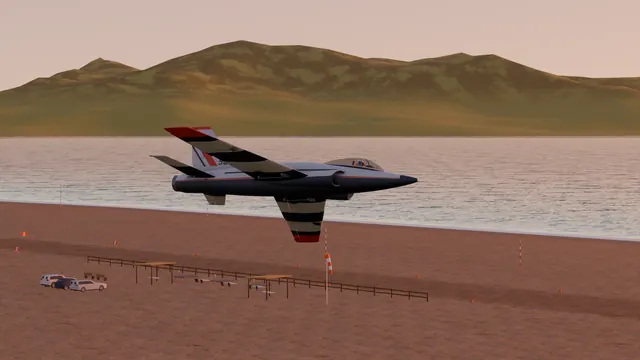
Practice the bad day too
A jet with a dead fan glides well but lands fast. Fly the Engine out drill with a jet, and a few approaches in gusty wind with extra speed on final. If you fly ArduPilot in a jet, rehearse the modes and a return-home first; see ArduPilot plane flight modes explained.
Limits: our jets are generic airframes, not replicas of a kit you can buy, and the model is built from components, so a real jet will not fly exactly like ours. Use the simulator for timing and circuit habits, and fly your first real jet flights with an experienced jet pilot.
Questions
Is an EDF jet a good second plane?
It can be, if you are comfortable with a fast low-wing sport plane first. EDF jets need speed on takeoff and approach, react late to the throttle and glide a long way. Practice those three things on a simulator, and pick a forgiving straight-wing jet trainer before a swept fighter.
Why does my jet keep landing long?
A clean jet carries its speed and glides far, and the fan or turbine takes time to spool down. Reduce power earlier on downwind, fly a longer final, use flaps if the model has them, and go around if you are still fast over the threshold.
Does a simulator help with turbine throttle lag?
Yes, if it models it. Learning to add power before you need it is mostly a timing habit, and timing habits are what a simulator builds well. In Fly Before the ducted-fan jets answer the throttle more slowly than the propeller planes, and the turbine jet spools up from idle.
Fly Before: RC Flight Simulator is a native macOS app (Apple Silicon) for flying RC planes and fixed-wing VTOLs that runs real ArduPilot in one click through the free ArduPilot Helper. One-time purchase, not on sale yet.
Sources
- Aircraft descriptions: the Fly Before Hangar screen (in-app text, November 2026)
- Academy of Model Aeronautics, turbine and safety programs: modelaircraft.org
Changelog
- : First published.