Spektrum radios and the WS2000 dongle on a Mac
"Does my Spektrum dongle work on a Mac?" is one of the most repeated questions in RC simulator threads. Here is what we know, where it comes from, and how Fly Before handles it.
Short answer
| Device | How it connects | Badge |
|---|---|---|
| NX and iX radios | USB cable, "Game Controller" mode (AirWare 3.13B or later) | Set up your controller |
| WS2000 wireless dongle | USB dongle, bound to your radio | Set up your controller |
| Older DX radios | Trainer cable plus a USB sim dongle | Set up your controller |
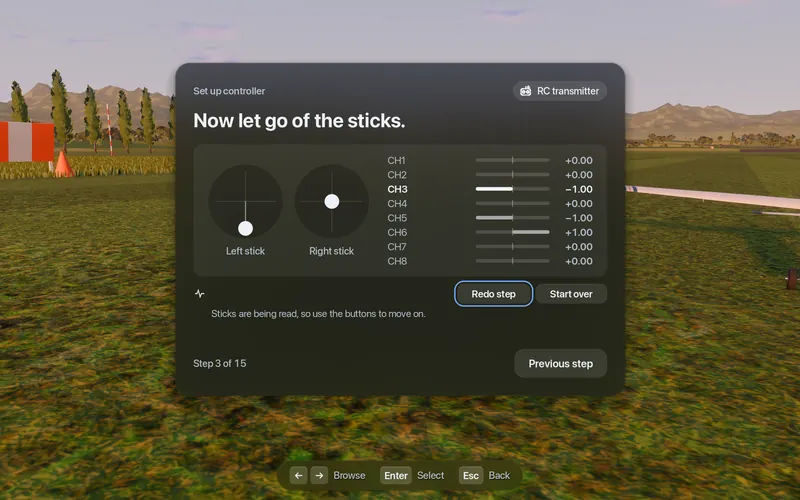
None of these has a documented axis layout, so Fly Before asks you to run the setup wizard once; it learns the radio in four stick moves. After that your settings are remembered.
NX and iX radios over USB
- Update to AirWare 3.13B or later. USB game-controller mode was broken in 3.13.
- On the radio: System Setup, USB Settings, Mode = Game Controller. When you finish flying, set it back to Inhibit.
- Plug the radio into the Mac with a data cable.
- In Fly Before run Set up controller. Spektrum's default channel order is TAER (throttle on channel 1), so the wizard matters here.
WS2000 wireless dongle
- Put your radio in bind mode.
- Hold the dongle's button while you plug it into the Mac.
- It appears as "SPEKTRUM RECEIVER" (USB ID 0483:572B, from a community report). It sends channels only, no buttons.
- Run Set up controller. Plugging the dongle in while Fly Before is open is fine.
Why Spektrum on a Mac has a bad reputation
We could not find a single documented root cause. What the sources do show:
- Spektrum's default channel order is TAER while many simulators expect AETR, so sticks land in the wrong place.
- The dongle sends no buttons, only channels.
- One user's dongle only appeared after the simulator was already running.
- The best-known Spektrum-bundled simulator runs on Windows only, so Mac users were on their own.
Fly Before's wizard learns the channel order, and the app supports plugging in and out at any time.
Sources
- NX8+ manual, USB settings (page 29): SPMR8210 manual (PDF)
- AirWare change log: SPM NX AirWare change log (PDF)
- WS2000 product page: Horizon Hobby; pairing report: IntoFPV
- Mac user reports: RCGroups, Simulator for Mac computer?